Checking what the internet can see about you... Protect it
Settings

Kill switch

With the kill switch on, the internet is blocked whenever the VPN drops.

With the kill switch on, the internet is blocked whenever the VPN drops, so nothing on your device connects unprotected while the app reconnects.

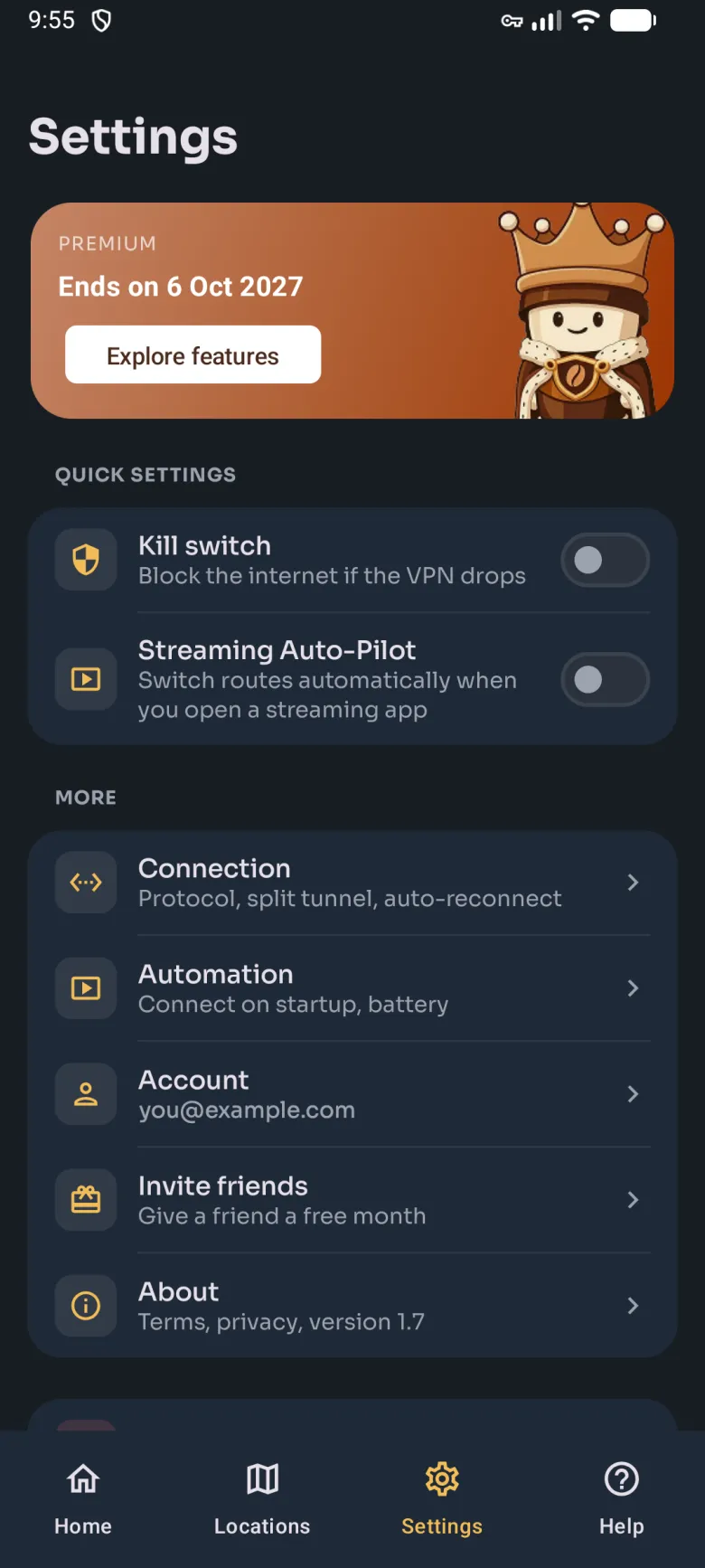
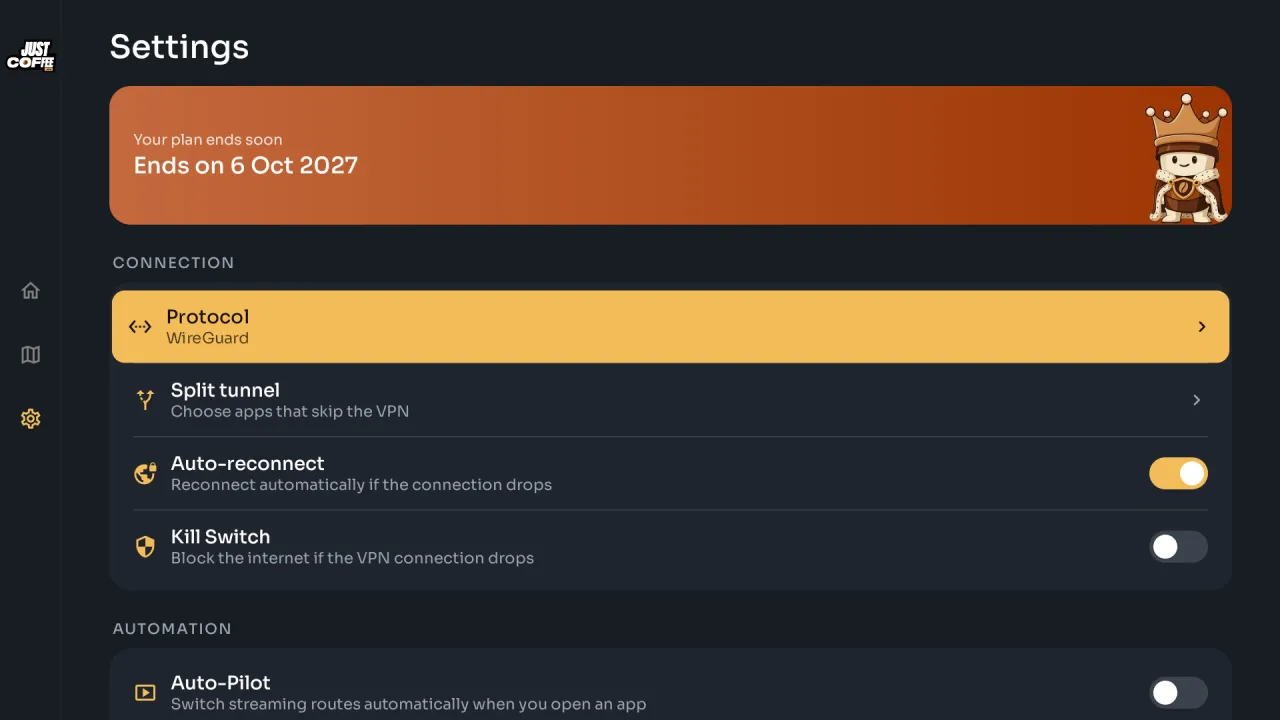
Turn it on under Settings: in Quick settings on the phone, in Connection on the TV. It applies from the next connection.
Phone
Phone Settings: the plan card, Quick settings with the Kill switch and Streaming Auto-Pilot toggles, then Connection, Automation, Account, Invite friends and About.
Kill switch under Quick settings on the phone.
TV
TV Settings: the plan banner, then Connection with Protocol (WireGuard, focused), Split tunnel, Auto-reconnect and Kill Switch, and Auto-Pilot under Automation.
Kill Switch under Connection on the TV.

Still stuck?

Most answers are a search away. If not, a person is. The barista answers in seconds and hands you to a human when you ask.